Non Instrumented Systems
Non Instrumented Systems in SLM allow organisations to manage safety-critical equipment that does not rely on sensors, transmitters or automated control. Although these components are not instrumented, they remain essential for maintaining safe and reliable plant operations.
The Non Instrumented Systems module enables users to record, organise and maintain a wide range of mechanical and passive protection devices. Each component contains dedicated information fields, allowing important operational, maintenance and compliance data to be captured throughout its lifecycle.
This guide explains what Non Instrumented Systems are, how to access the module in SLM, the types of components that can be managed and why maintaining accurate records supports process safety and regulatory compliance.
What Are Non Instrumented Systems?
Non Instrumented Systems are physical components that form part of an operational process but do not provide direct monitoring or automated control through sensors or transmitters. While they operate differently from Safety Instrumented Functions, they still play an important role in protecting personnel, equipment and production facilities.
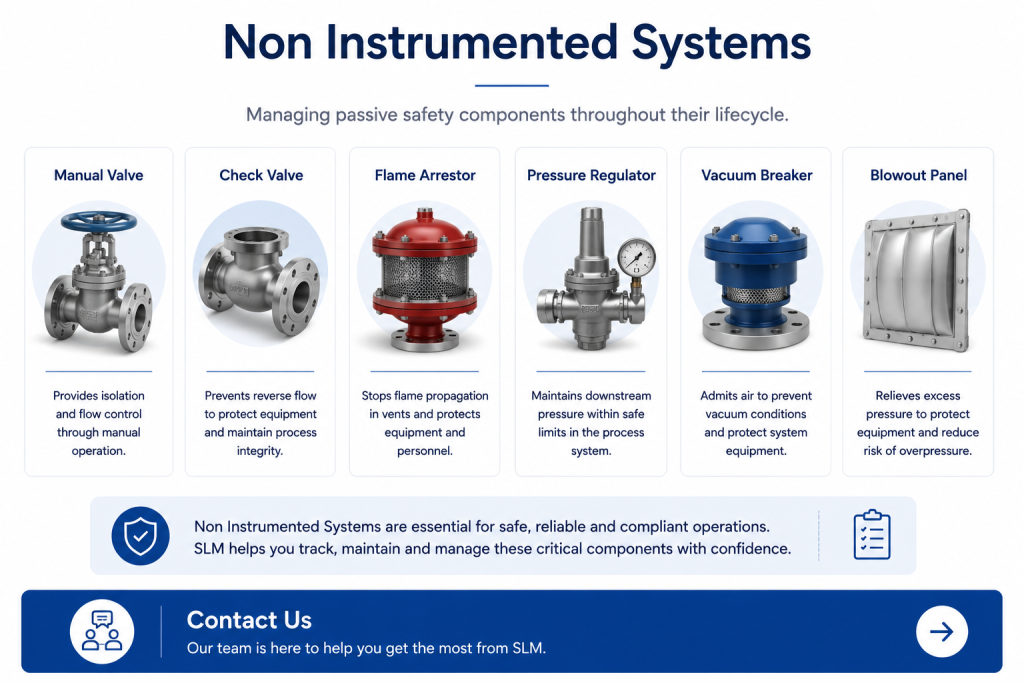
Examples include manual valves, check valves, flame arrestors, pressure regulators, vacuum breakers and other mechanical devices that contribute to the safe operation of industrial processes. These assets often require regular inspection, maintenance and documentation to demonstrate continued performance.
Within SLM, the Non Instrumented Systems module provides a central location for recording these components, maintaining their associated information and supporting compliance with organisational and regulatory requirements.
Accessing the Non Instrumented Systems Module
Users can access the Non Instrumented Systems module by opening the module selection menu within SLM and choosing Non Instrumented Systems. Once selected, users can navigate to the appropriate unit where new components can be created and managed.
At unit level, the Edit Tools menu provides access to the available Non Instrumented System component types. Selecting one of these options creates the appropriate object with its own dedicated information fields for recording asset-specific details.
This consistent approach makes it straightforward to organise passive safety components alongside other operational assets while maintaining a structured hierarchy throughout the system.
Supported Component Types
The module supports a wide variety of passive safety and mechanical components that contribute to safe plant operation. Although these assets do not contain sensors or automated monitoring, they remain essential for maintaining process integrity, protecting equipment and supporting regulatory compliance.
From the Edit Tools menu at unit level, users can create the appropriate component type based on the equipment being managed. SLM provides dedicated objects for:
- Blowout panels
- Chain locks
- Check valves
- Earths and secondary containment
- Flame arrestors
- Hydro deflectors
- Mechanical overspeed trips
- Mechanical stops for control valves
- Mechanical stops for dampers
- Open vents
- Pressure regulators
- Refractory restrictions
- Orifices
- Temperature indicating coatings
- Undersized dampers
- Vacuum breakers
Each component type has its own dedicated record within SLM, allowing users to maintain asset-specific information while keeping passive safety equipment organised within a consistent hierarchy.
Maintaining Accurate Equipment Records
Every passive safety component includes its own set of dedicated information fields.. These fields allow organisations to capture the data required to manage individual assets throughout their operational lifecycle.
Rather than using a single generic record for every passive device, SLM provides separate object types so that information can be organised according to the specific equipment being managed. This creates a structured and consistent approach to maintaining engineering records.
By storing important operational and maintenance information against each component, users can improve asset visibility, simplify future inspections and maintain a complete history of changes made throughout the equipment lifecycle.
Maintaining accurate records also helps engineering teams locate critical equipment more quickly and supports consistent documentation across multiple units and facilities.
To understand how passive equipment fits alongside automated protection systems, see the Instrumented Systems Overview.
Supporting Safety, Maintenance and Compliance
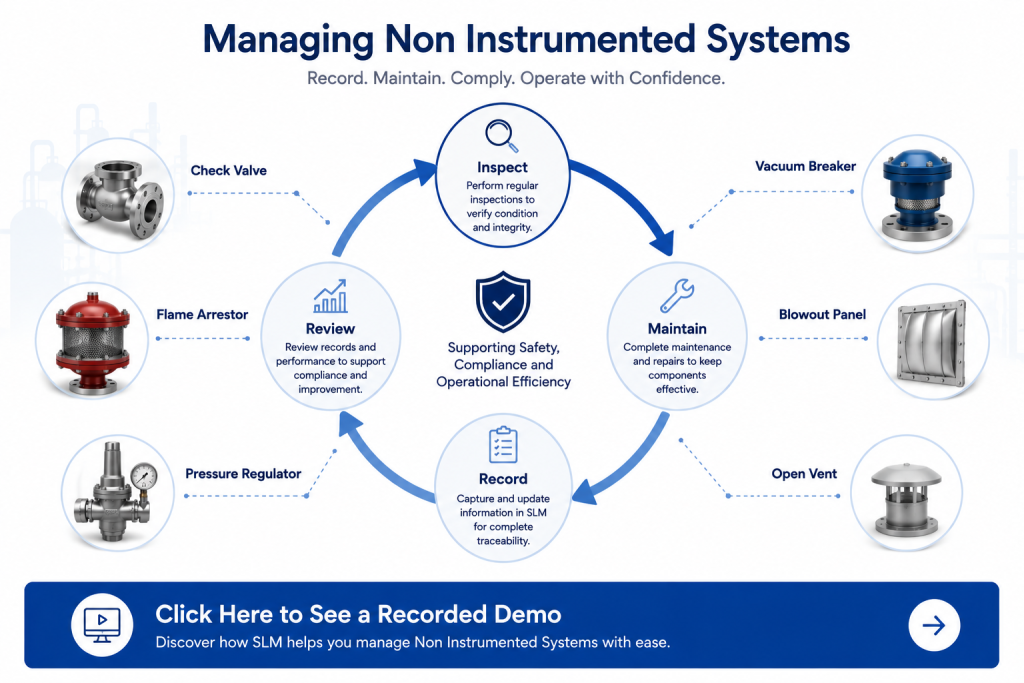
Although these passive components do not actively monitor or control the process, they often perform essential safety or operational functions. Maintaining accurate records helps organisations demonstrate that these components are properly managed throughout their service life.
Centralising equipment information within SLM supports maintenance planning, simplifies engineering reviews and provides a consistent source of asset information for operational teams.
Well-maintained records also improve traceability by ensuring that important information remains associated with each component throughout inspections, maintenance activities and equipment modifications.
Managing passive equipment alongside Instrumented Systems provides a more complete view of plant assets, helping organisations maintain safe, reliable and compliant operations.
For guidance on documenting safety-related equipment, refer to the Safety Requirement Specification (SRS).
Best Practices for Managing Non Instrumented Systems
Managing Non Instrumented Systems effectively requires consistent asset records, standardised data entry and regular maintenance updates. Although these components are not monitored electronically, they often perform critical safety or operational functions that must be documented throughout their lifecycle.
When creating or updating Non Instrumented Systems in SLM, organisations should:
- Maintain consistent naming conventions for all components.
- Record asset-specific information using the dedicated fields provided for each component type.
- Keep maintenance and inspection records up to date.
- Review component information following plant modifications or engineering changes.
- Ensure records remain aligned with site documentation and operational procedures.
Following these best practices improves data quality, supports compliance activities and provides engineering teams with reliable information whenever passive safety components need to be inspected, maintained or reviewed.
For additional guidance on managing functional safety documentation, visit the Functional Safety Management Software guide.
Related Safety Systems Guides
Continue learning about the Safety Systems module with these related guides:
- Instrumented Systems Overview
- Configuring a Safety Instrumented Function
- Safety Requirement Specification (SRS)
- Instrumented Functions (IPLs)
- Cause and Effect Matrices
- SIL Calculation Reports
External reference: IEC 61511 – Functional safety for the process industry sector.
Non-Instrumented Systems
0:06
Welcome to this Application Explainer video, part of our User Modules topic range.
0:11
In this video we’ll cover the subject of Non instrumented systems in SLMSLMS.
0:17
Non Instrumented Systems module includes components or systems that are part of an operational process but lack direct monitoring and automation through sensors or transmitters.
0:28
These systems, such as manual valves, tanks, or structural elements are still critical for process safety, maintenance, and operational efficiency.
0:36
SLM tracks these components to ensure compliance with regulations.
0:41
The following information will be covered in this training.
0:44
How to access the Non Instrumented Systems module and types of components that can be tracked.
0:54
In order to get to the non instrumented systems module, users have to navigate to the module drop down and select non instrumented systems.
1:03
If we now come to the unit level, if we click on the edit tools drop down, we can see a list of all the non instrumented components that can be added.
1:14
So let’s go over the list.
1:16
Blowout panel, chain lock, check valve, earth and secondary containment, flame arrestor, hydro deflector, mechanical over speed trip, mechanical stop for control valve, mechanical stop for damper, open vent, pressure regulator, refractory restriction, orifice, temperature indicating coating, undersized damper, and vacuum breaker.
1:45
All of these components have their independent fields, so users can keep track of specific information for each one of these items.


